THE CS2 DEMO WORKSPACE

See the round.
Read the game.

Your CS2 demos, with a new perspective. Revisit key rounds, follow any player and hear recorded team communication.

RECOMMENDEDGet it from Microsoft Store
DEMO TRACEWindows x64

YOUR NEXT REVIEW STARTS HERE

Choose your way in.

Same app. Two ways to get started.

DIRECT DOWNLOAD

MSI installer

Download the installer and run setup yourself.

Download MSI

This MSI is an unsigned preview. Windows may show “Windows protected your PC” or block installation.

MSI installation steps
  1. Download the MSI from demo-trace.com and open it.
  2. If you trust this download and Windows offers the option, choose “More info”, then “Run anyway”. If it is blocked, use Microsoft Store.
  3. Follow setup, then select Finish to open Demo Trace.
+10KDownloads

Latest version ready to download / Windows x64

REAL REPLAY. REAL MOMENT.
donk666 · Dust2 · Four kills. One moment.
PARTNER WITH DEMO TRACE

Your brand. Our CS2 community.

Interested in a partnership? Get in touch to explore placements on our website and Windows app.

Contact us about partnerships support@demo-trace.com
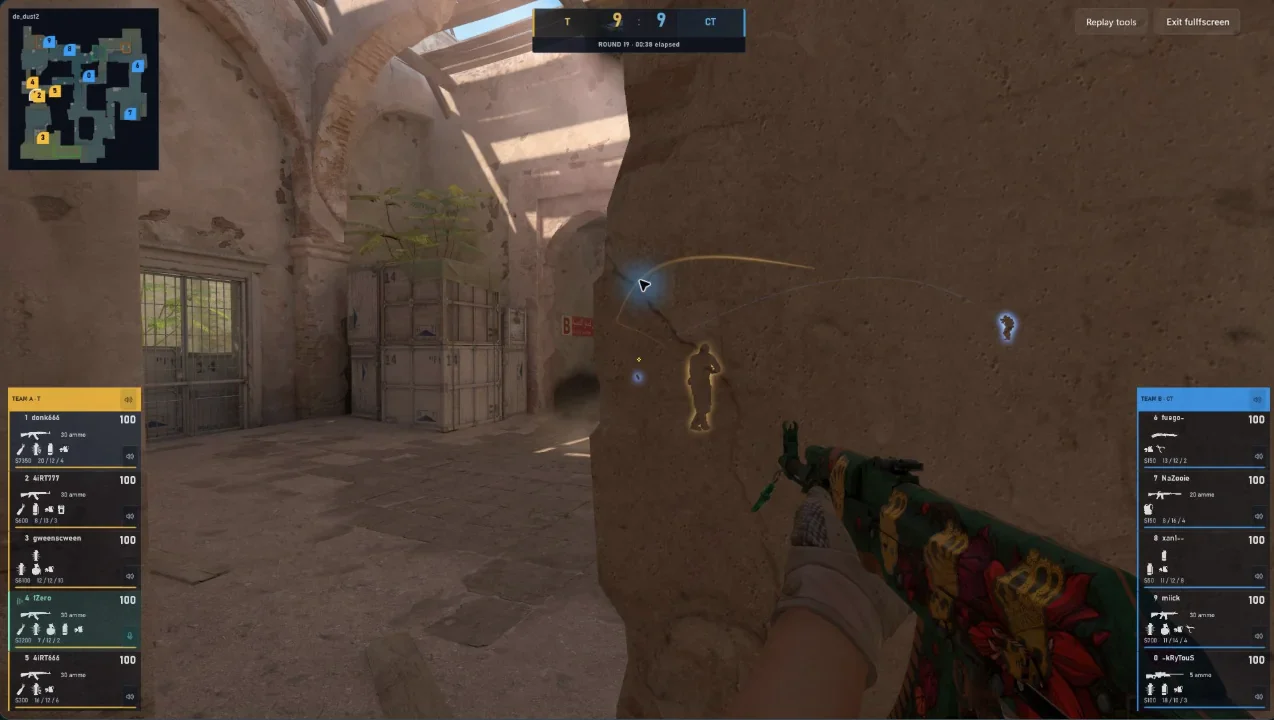
DEMO TRACE / HUD & RADAR REAL APP CAPTURE
Demo Trace showing donk666 on Dust2 with the radar, round score and all ten living players visible in the HUD
The full picture. HUD and radar in view.Local demo · Original CS2 rendering
YOUR DEMOS Local by defaultYOUR GAME Original CS2 renderingYOUR WORKSPACE Made for Windows

LESS SEARCHING. MORE UNDERSTANDING.

Go back with
a purpose.

One focused workspace for the things you want to look at again. No need to upload your demo to start a review.

01

ROUNDS & PLAYBACK

Find your moment.

Jump between rounds, seek through the match and slow down the action. Spend your time reviewing the moments that matter.

02

PLAYER PERSPECTIVES

See another angle.

Follow recorded players and explore the action through your installed CS2 engine. Put a decision back in its context.

03

RECORDED VOICE

Hear the whole story.

Listen to recorded communication when your demo contains supported voice. Choose the player or team channels you want to hear.

THE ROUND, WITHOUT THE DISTRACTIONS

Less interface.
More perspective.

Switch to fullscreen and stay with the action.
Come back to the workspace when you need the details.
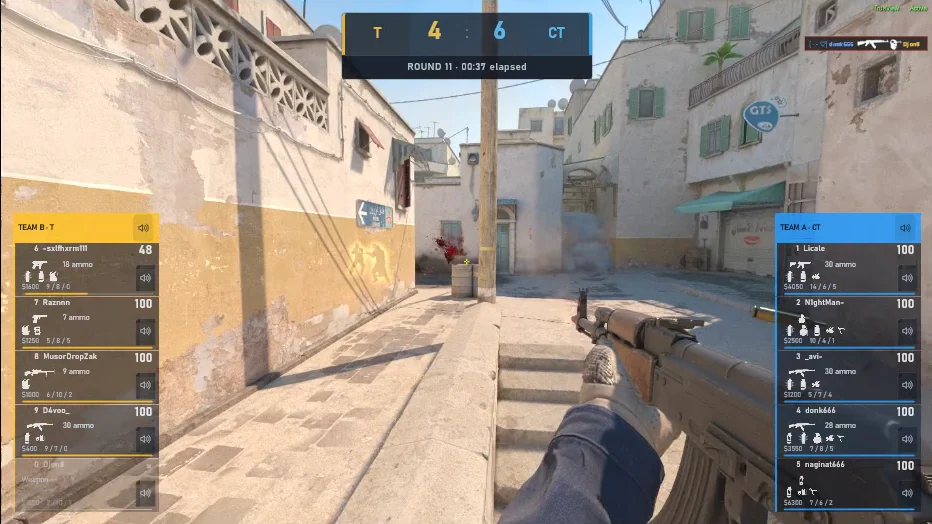
A different Dust2 moment from donk666's four-kill round, showing gameplay and HUD directly without the app window
DONK666 / ROUND 11Gameplay from the four-kill replay

KEEP THE DETAILS THAT MATTER

A moment worth
coming back to.

Explore recorded events. Follow a player. Save a bookmark with a note. Build a clearer picture of the round, one moment at a time.

Explore the viewer
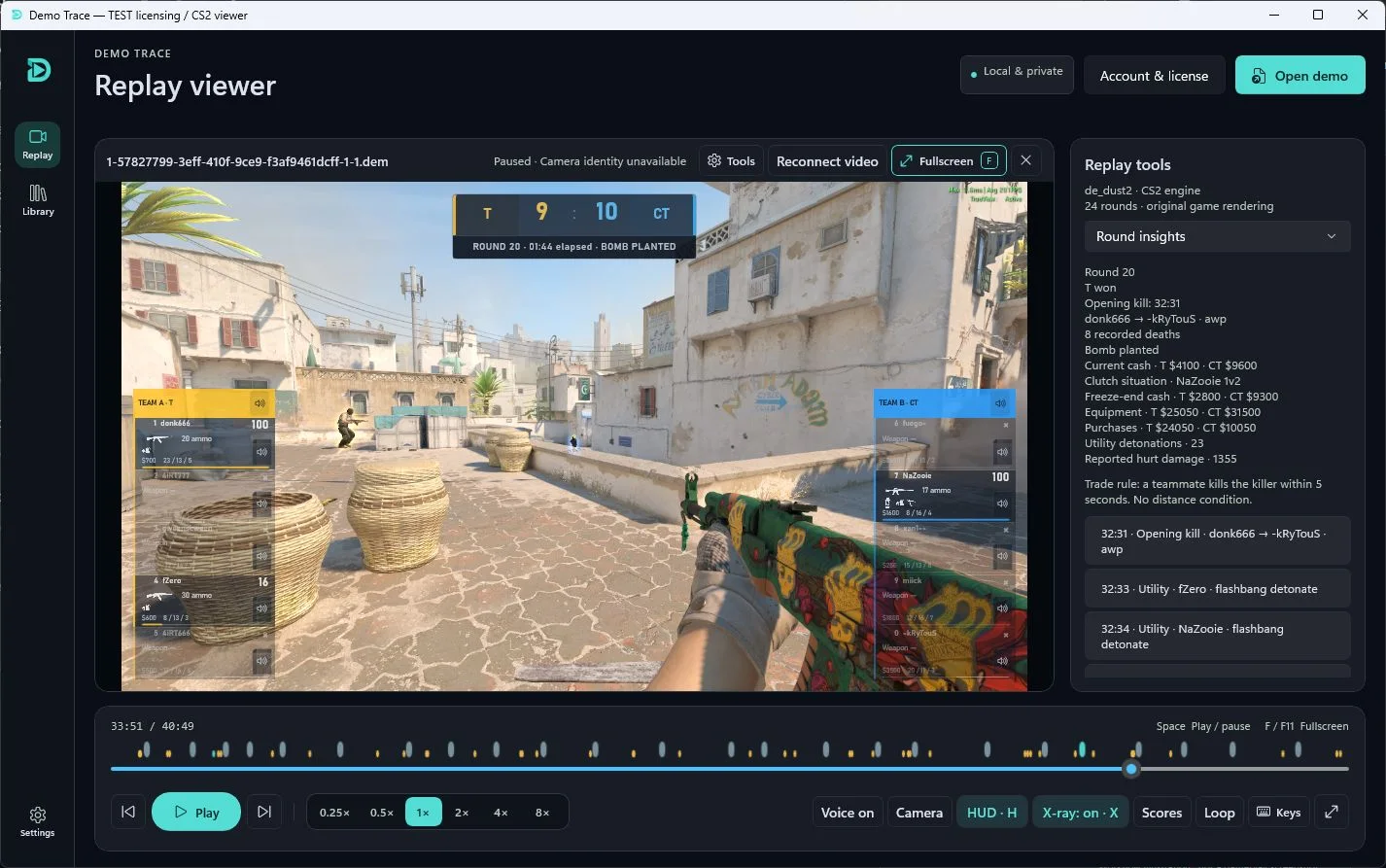
Player perspectivesRound eventsBookmarks & notes
Demo Trace reviewing a CS2 round with player perspectives and match information alongside live replay
YOUR MATCH, WITH THE CONTEXT IN VIEW.

FROM DEMO TO DETAIL

Open. Follow.
Look closer.

The complete walkthrough
01 / GET READY

Set up your workspace.

You’ll need Windows, Steam and an installed CS2 copy. Activate your purchase with its license code directly in the app. No account needed.

02 / OPEN A DEMO

Bring your match.

Open a compatible local .dem recording. Your demo library keeps shortcuts to the original files on your computer.

03 / TAKE A SECOND LOOK

Review your way.

Choose a round, follow the action and keep useful moments with bookmarks and notes.

An internet connection is required. Replay compatibility depends on your installed CS2 build; recorded voice availability depends on the demo. View requirements ↗

YOUR NEXT MATCH STARTS WITH THIS ONE.

See it again.
Play it forward.

Give your game a second look.

RECOMMENDEDGet it from Microsoft Store
DEMO TRACEWindows x64

YOUR NEXT REVIEW STARTS HERE

Choose your way in.

Same app. Two ways to get started.

DIRECT DOWNLOAD

MSI installer

Download the installer and run setup yourself.

Download MSI

This MSI is an unsigned preview. Windows may show “Windows protected your PC” or block installation.

MSI installation steps
  1. Download the MSI from demo-trace.com and open it.
  2. If you trust this download and Windows offers the option, choose “More info”, then “Run anyway”. If it is blocked, use Microsoft Store.
  3. Follow setup, then select Finish to open Demo Trace.
Windows x64 · Steam and installed CS2 required

STAY CLOSE TO WHAT’S NEXT

Updates from the team.

Release news and product updates. Choose to hear from us.